Scope, rates and totals together
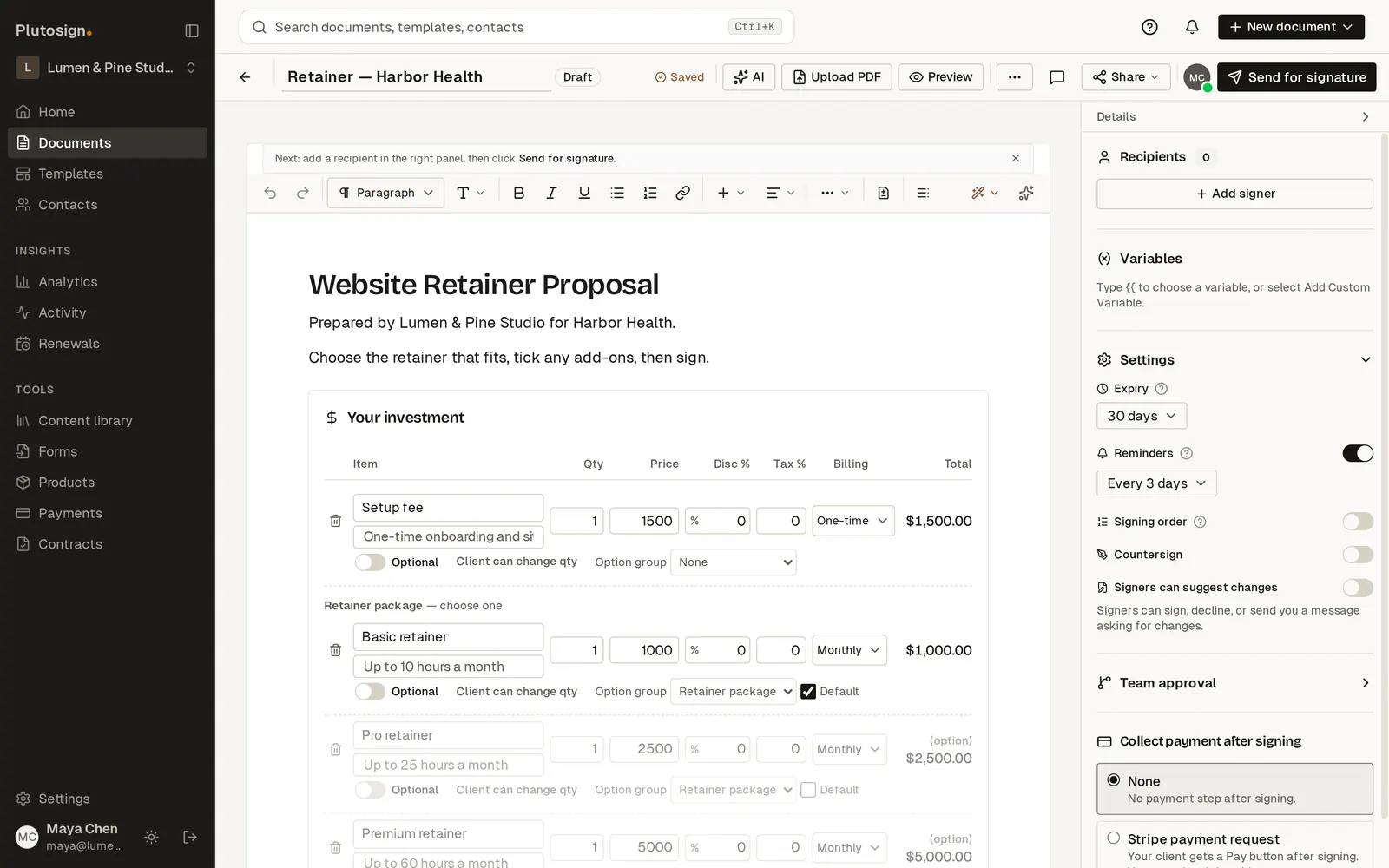
Itemized pricing with quantities, discounts, and totals. Clients see exactly what they are paying for. Optional line items let clients add services to the agreed scope.
Build a proposal with your deliverables, fees, optional services and signatures. Start from a reusable template, personalize the details and give your client one place to review and accept the work.
No credit card required. Upload your own PDF or pick a ready-to-edit proposal after signup, or try the sender demo without an account.
Start with a project brief. Reuse the scope and terms you trust, set the price, review the details and send a link your client can sign. Paid plans include unlimited sends from the app.
Inside the editor
Build quotes in 9 currencies with line-item discounts, tax rates, optional add-ons, and team approval before sending.
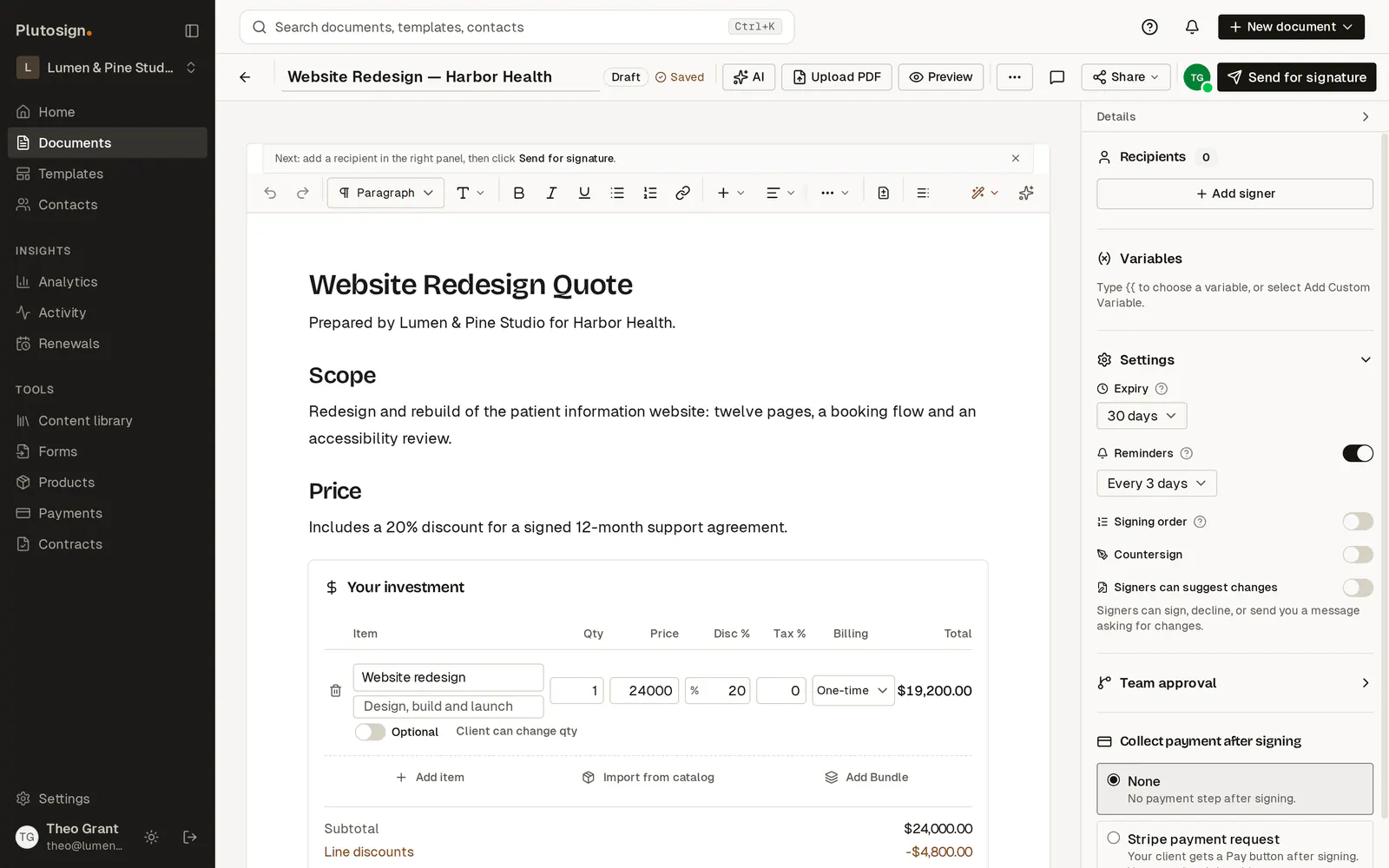
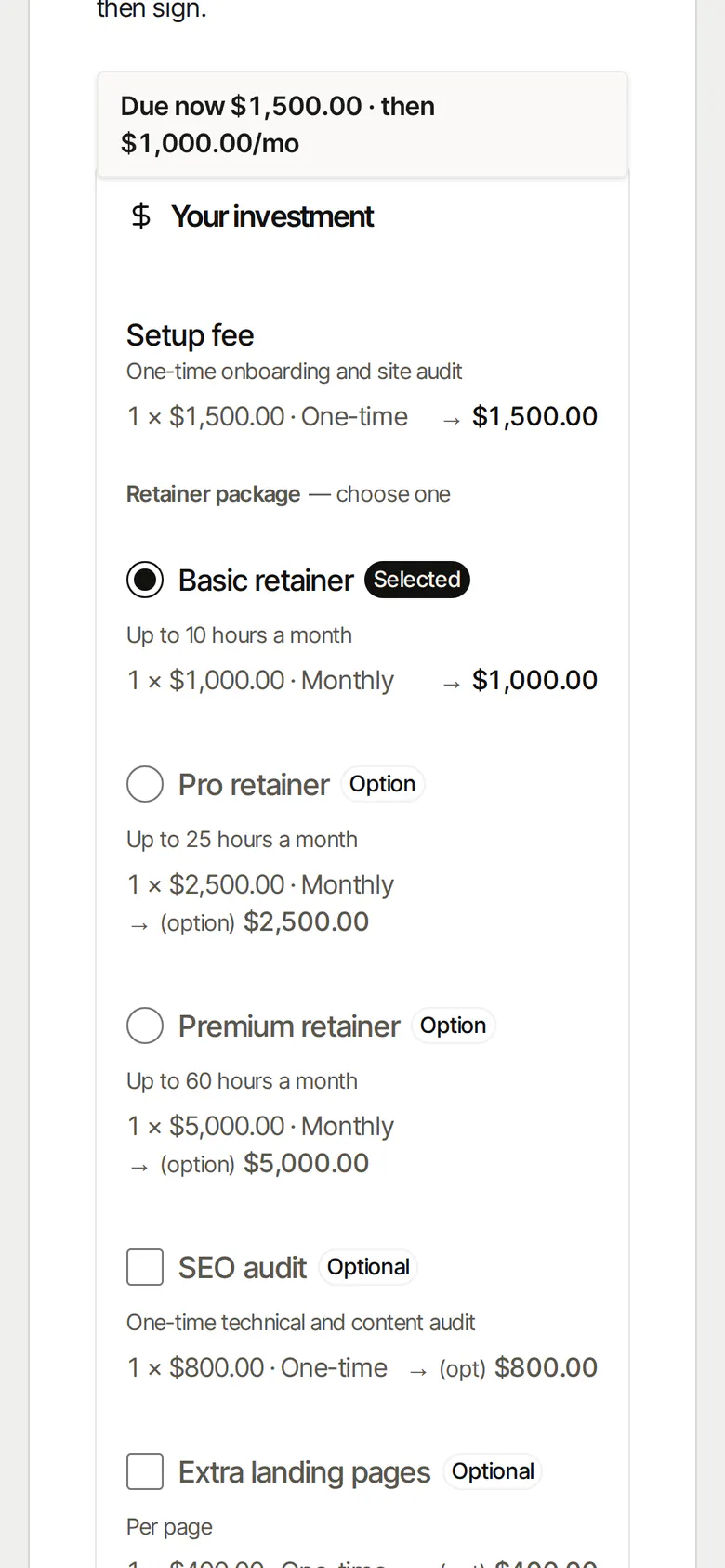
Itemized pricing with quantities, discounts, and totals. Clients see exactly what they are paying for. Optional line items let clients add services to the agreed scope.
Offer Good, Better and Best packages and let the client pick one. Add multiplier, fee and custom columns, apply more than one named tax, and import your product catalog from CSV. Your cost column and margin stay on your side; clients never see them.
Document opens, views, signing timelines and organization-wide page viewing summaries are available on all current plans.
See how long each recipient spends on every section of a web document. Get an alert when a client comes back to the proposal, when they spend time on pricing and have not signed a day later, or when someone opens a shared link with an email address that is not on the recipient list.
Chain up to 10 templates into a document sequence. When one document is completed, the next one goes out to its recipients automatically. Sequences are on every plan; on Free, each step counts toward the monthly document allowance.
Download the completed PDF and Certificate of Completion, ready to share with your client and keep with your project records.
Describe the client's project to draft a scope of work, then rewrite a section in the same editor where you add pricing and signature fields. Review the text and pricing before sending. Try it on Free with 10 AI actions a month; Growth, Agency and Scale include larger allowances and inline suggestions as you write.
Use variables for client and project details, then check their values before sending. Keep the agreed structure while making each proposal specific to the work.
Save the scope, terms and pricing you use most often in templates and reusable content blocks. Start the next proposal with the parts you have already reviewed.
Yes. Add optional line items to your pricing table. Clients can select the services they want, and the total updates before they sign.
Yes. Offer Good, Better and Best packages and let the client pick one. Add multiplier, fee and custom columns, apply more than one named tax, and import your product catalog from CSV. Your cost column and margin stay on your side; clients never see them.
No. Clients open your signing link to review and sign the proposal in a browser, on a phone or computer.
Yes. Chain up to 10 templates into a document sequence. When one document is completed, the next one goes out to its recipients automatically. Sequences are on every plan; on Free, each step counts toward the monthly document allowance.
Download the completed PDF and a Certificate of Completion with the signing record. Keep both with your project records and share them with your client.
Start from a template or bring your own document. On the Free plan, up to 3 people share 5 sent documents per month, no credit card. Try the complete path from draft to signed agreement.
No credit card required. Upload your own PDF or pick a ready-to-edit proposal after signup, or try the sender demo without an account.