Every proposal looks different
Set a house style once: fonts, type scale, headers, footers, cover. Locked clauses and a content library keep the wording.
See branding and house styleFor agencies & service businesses
Proposals and retainers clients review, add services to and e-sign in the browser. See how long they spend on pricing, and take payment through your own Stripe when they sign.
Free: 5 document creations or imports a month. No credit card required.
Sound familiar?
Three more things that slow a retainer, and the fix for each.
Set a house style once: fonts, type scale, headers, footers, cover. Locked clauses and a content library keep the wording.
See branding and house styleSee who each document waits on, and when they last looked. Reminders, signing order and expiry nudges chase for you.
See how clients signReuse a proposal and Plutosign finds the old client's company, names, emails and domain. Tick what to replace.
See proposal reuseKnow when a client is ready, get paid when they sign, and bring your templates.
Proposals sit unread
See time spent per section. Get an alert when they come back, or read the pricing and do not sign.
See document trackingSigned, then paid weeks later
Clients pay by card on your own Stripe right after signing. The document shows Paid. Plutosign takes no fee.
See what each plan includesThe templates stop the switch
Import a PDF: AI places the signing fields and suggests roles. We migrate your 10 most-used templates for you.
Plan your switchSurprises at renewal
Price locked while you stay subscribed. No features removed. Unused annual months refunded. A person replies within 1 business day.
Read our fair termsSwitching from PandaDoc, DocuSign, Dropbox Sign, Proposify, Qwilr or Better Proposals? 25% off your first year on an annual Growth, Agency or Scale plan, until March 31, 2027.
Start from a ready-to-edit template. Each one sends, signs and tracks the same way.
Template previews · sample data
Start from a template. Set the scope, one-time and monthly pricing, and optional services.
Try proposal creationClients review the price, choose options and sign in the browser. No account needed.
Try the client experienceTrack opens, remind whoever is next, and download the signed PDF with its Certificate of Completion.
See document trackingFour real workflows on real Plutosign screens. Click a step, or press Play.
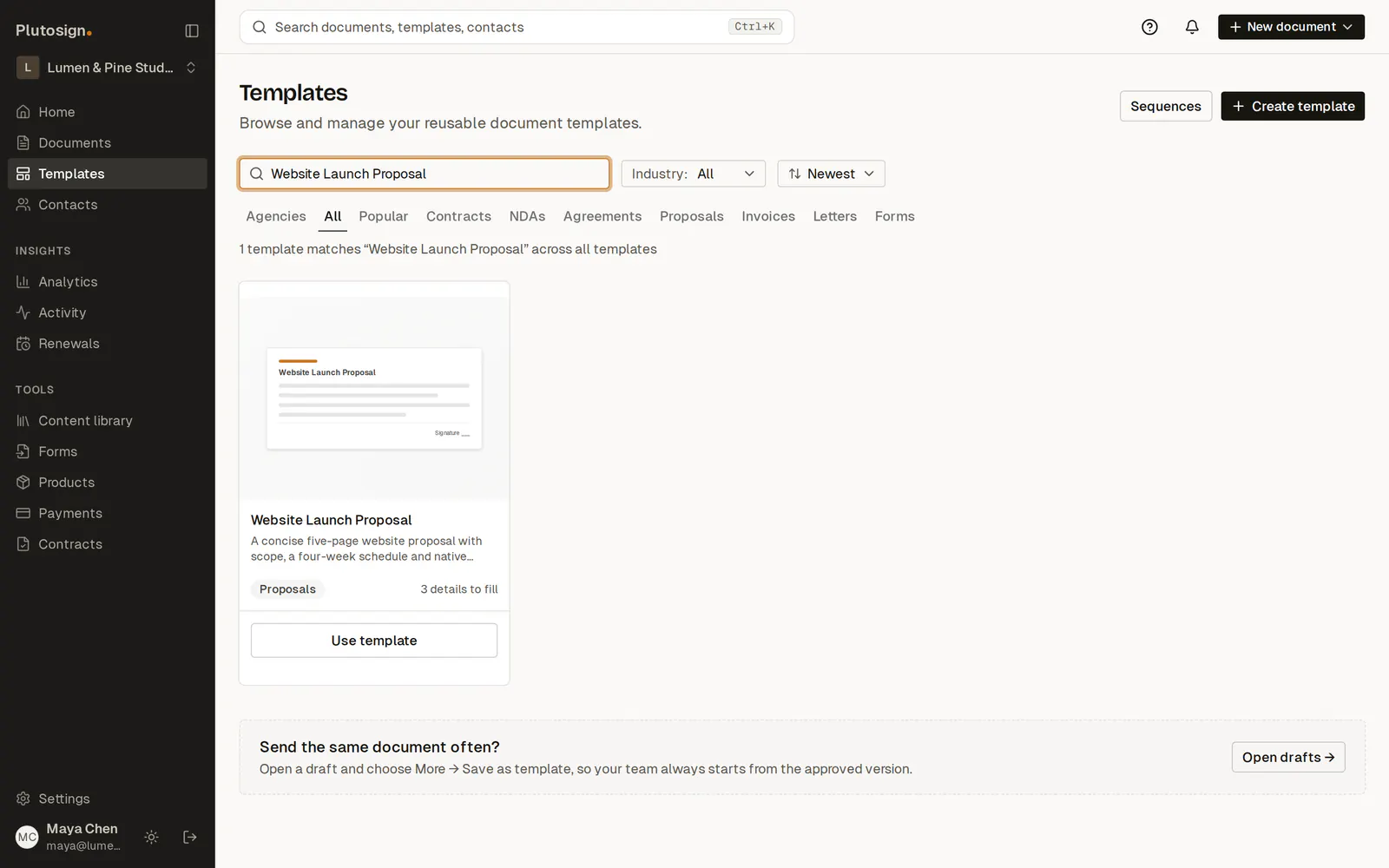
Step 1 of 9Start from the Website Launch Proposal template. Scope, schedule and pricing are already written.
Real screens, sample agency and clients.
Templates, scope blocks and terms, with variables for client details. Bring your Word templates, or Google Docs downloaded as .docx.
Find a starting templateYour team comments and suggests changes. Clients comment too; internal notes stay private. Require approval before sending.
Explore team reviewContacts and drafts come from HubSpot or Pipedrive deals. Signing marks the deal Won and writes back the signed total.
See the integration workflowOpen a customer: every proposal, SOW and retainer, counts by status, the people on each. New sends file there.
See the shared workspacePer seat or one workspace price, no hidden fees. Growth matches PandaDoc Business per seat.
$0no credit card
$49/seat/mo, billed yearly
$299/mo, billed yearly
$599/mo, billed yearly
Yes, for most business agreements. Plutosign supports electronic signing under the US ESIGN Act and UETA, and EU signing uses Basic Electronic Signatures under eIDAS. Electronic records consent is captured before signing, and every completed document includes a Certificate of Completion and an audit trail. A few document types, such as wills, cannot be signed electronically under these laws.
If you only need a signature on a finished document, Google's eSignature may be enough. It adds signature, initials, name, text and date fields to Docs and PDFs for up to 10 signers, on eligible Google Workspace plans once an admin turns it on. Plutosign is built for the step before the signature: a proposal with a pricing table, optional services your client can add, and a total that updates before they sign. You also see when clients open and view it, reuse agency templates, start drafts from HubSpot or Pipedrive, and keep the signed agreement with its signing record.
Plutosign is built for agencies and service businesses. You see how long a client spends on each section and get an alert when they come back. On Growth and above, clients pay through your own Stripe the moment they sign, with no fee from Plutosign. We help move your templates, and you can send one of your own proposals from a free workspace before you switch. Prices are published: Growth is $49 per seat for teams of 1–5, and Agency ($299) and Scale ($599) are one workspace price with seats included — per month, billed yearly — with unlimited sends from the app. Connect HubSpot or Pipedrive to start drafts from deals.
No. Clients open your link and review and sign in the browser, on a phone or a computer. Signing is free for them.
Yes. Import a PDF and signing fields are placed and signer roles suggested for you to review. On any paid plan we migrate your 10 most-used templates for you; Agency and Scale include done-for-you migration of a larger library. You can test a send while your current tool keeps running. Finish agreements already in progress in your current tool, and keep their original PDFs and audit trails.
Free includes 3 workspace seats and 5 document creations or imports per monthly period. Your existing documents stay accessible and can still be sent and signed after the allowance is used. Paid plans include unlimited sends from the app and unlimited creations. Recipients always sign free, and no credit card is required.
Yes. On Growth and above, connect your own Stripe account: after signing, clients pay by card on Stripe Checkout and the money goes straight to your Stripe account. Plutosign is not the merchant and takes no fee. On any plan you can instead add your own Stripe, PayPal or Square payment link.
HubSpot and Pipedrive can import CRM contacts and create drafts from deals after you connect an account. API access and event webhooks are available on current plans; document allowances apply.
Documents travel over encrypted connections (TLS), and the database and file storage are encrypted at rest with AES-256. Signed documents are retained for at least 7 years, and each signed PDF is hashed and checked against the stored hash.
Yes. Cancel renewal from Billing; access continues through the paid period. Then the workspace returns to the Free plan, and cancellation does not delete its documents. Annual plans are paid upfront. First purchases have a 14-day money-back guarantee, and if you cancel an annual plan later, we refund the unused full months.
Free: 5 document creations or imports a month. No credit card required.
Switching from PandaDoc, DocuSign, Dropbox Sign, Proposify, Qwilr or Better Proposals? 25% off your first year on an annual Growth, Agency or Scale plan, until March 31, 2027.
Plan your switch