Complex workflow · 8 steps · about 30 sec
Quote where the client picks a package and add-ons
The client builds their own deal, then pays you directly.
Instead of three versions of the same quote, send one. Your client picks Basic, Pro or Premium, adds the extras they want, sees what is due now and what is billed monthly, and signs. You see exactly what they chose, locked into the signed agreement, and the client can pay right away through your own Stripe account.
Packages, add-ons and signing work on every plan. Client payment through your own Stripe account is on Growth and above.
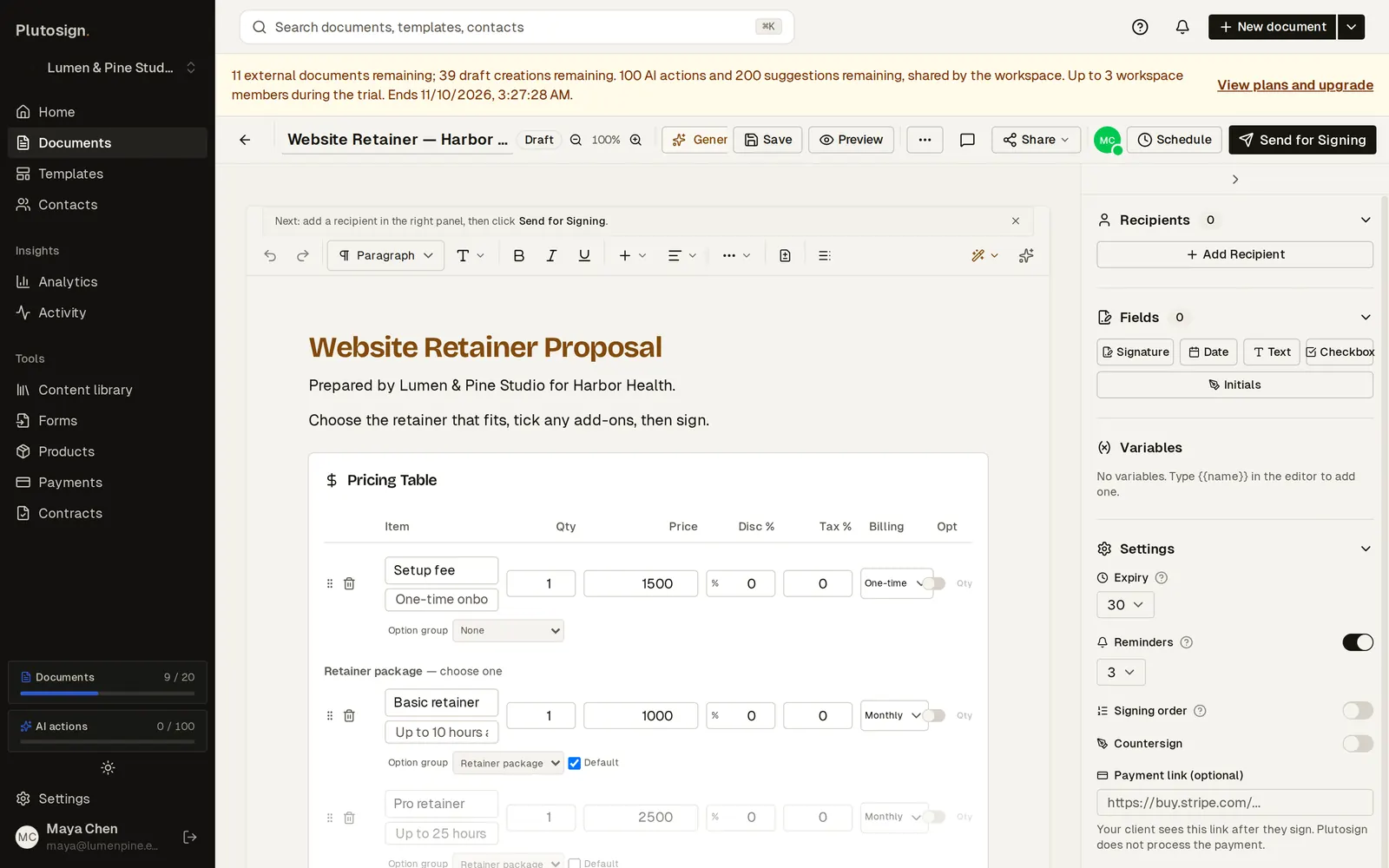
Step 1 of 8One quote: a setup fee, three retainer packages the client chooses between, and optional add-ons.
Real Plutosign screens with sample people and companies. Use the arrow keys, swipe, or press Autoplay to watch.
Every step
The same walkthrough as text, screen by screen.
- 01
Build the quote
One quote: a setup fee, three retainer packages the client chooses between, and optional add-ons.
On a computer
- 02
Ask for payment
Ask for payment after signing: the total of whatever the client accepts.
On a computer
- 03
Pick a package
Your client opens the quote on their phone and picks the Pro retainer.
On a phone
- 04
Add extras
They add the SEO audit and three extra landing pages.
On a phone
- 05
See the totals
Totals update as they choose: what is due now, then what is billed monthly.
On a phone
- 06
Sign, then pay
Signed. Pay now opens Stripe Checkout, and the money goes straight to the agency’s own Stripe account.
On a phone
- 07
See what they chose
You see the signed quote with exactly what the client chose, locked in.
On a computer
- 08
Paid
The document shows Paid. The payment went through the agency’s own Stripe account.
On a computer
Related workflows
See all workflows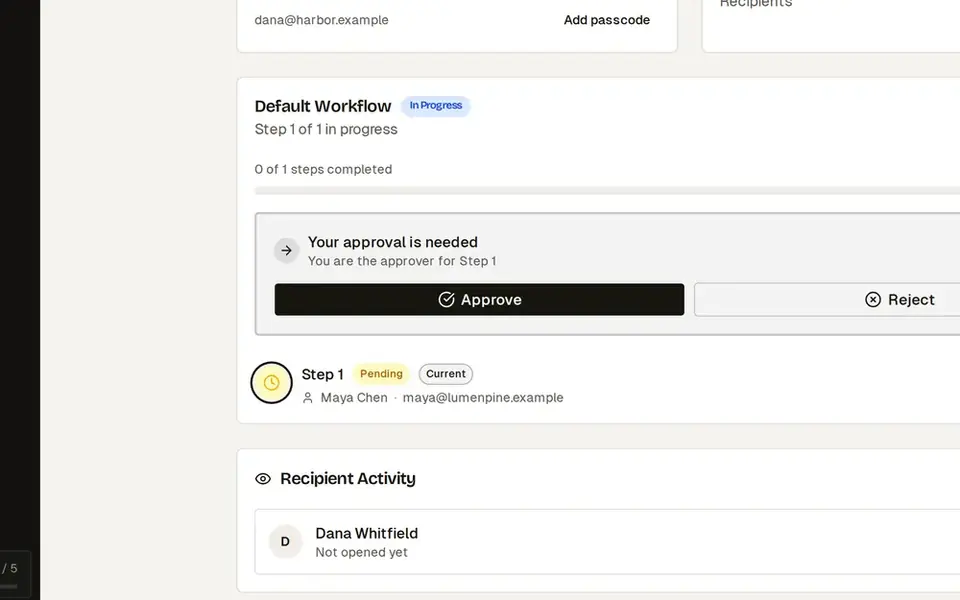 7 steps · about 25 secComplex
Manager approval before a discounted quote goes out
Approval happens before the client ever sees the price.
Discounts above your limit need an admin’s approval before the client can open the quote.
 8 steps · about 30 secSimple
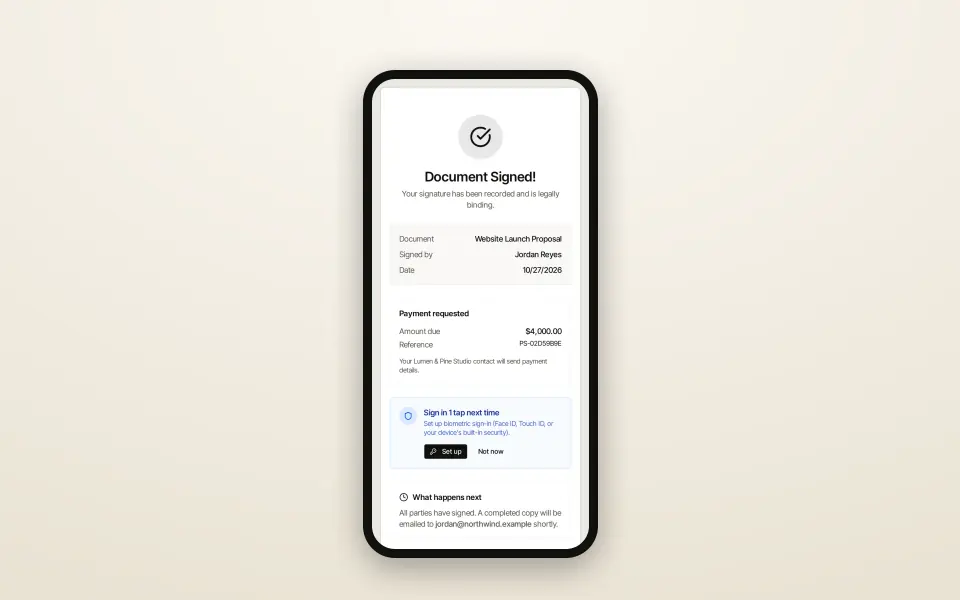
Send a proposal and get it signed
From template to signed PDF without leaving the browser.
Go from a template to a signed proposal, with your client signing on their phone.
 6 steps · about 20 secComplex
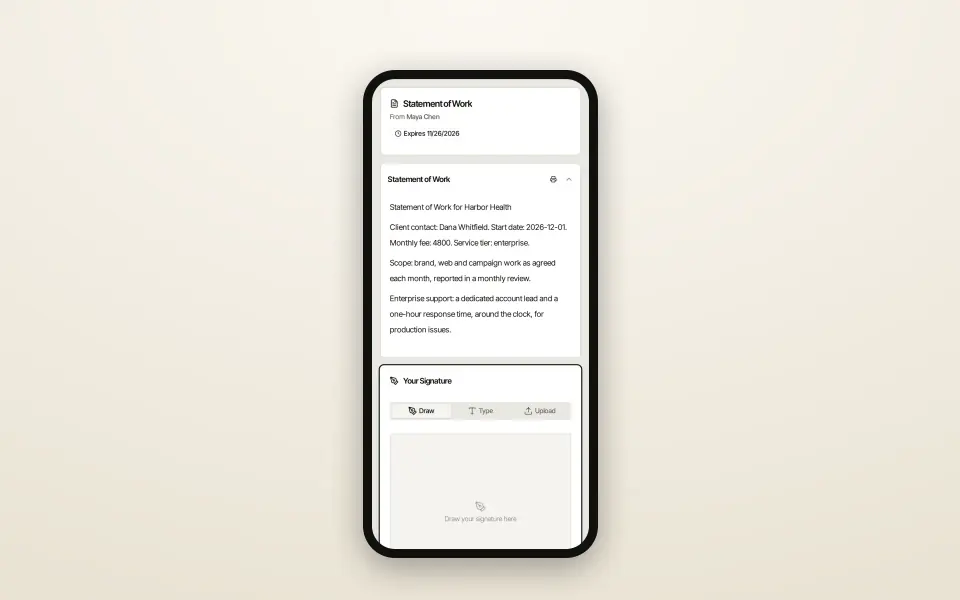
One SOW template, the right clauses for each client
Every client gets exactly the clauses that apply to them.
One template with conditional sections: each client sees only the clauses for their tier.
Try this workflow with your own documents.
No credit card required.