Share & Track PDFs
Share a PDF and know the moment it is opened.
Send quotes, pitch decks, and proposals with clean tracked links. See real client views without self-view noise, and switch any PDF to e-signature in one click when they are ready.
Free plan includes 10 tracked PDFs and 5 signature sends/month. No credit card required.
How it works
Upload your PDF
Drop any quote, deck, or proposal. Your original layout and fonts stay untouched.
Send a tracked link
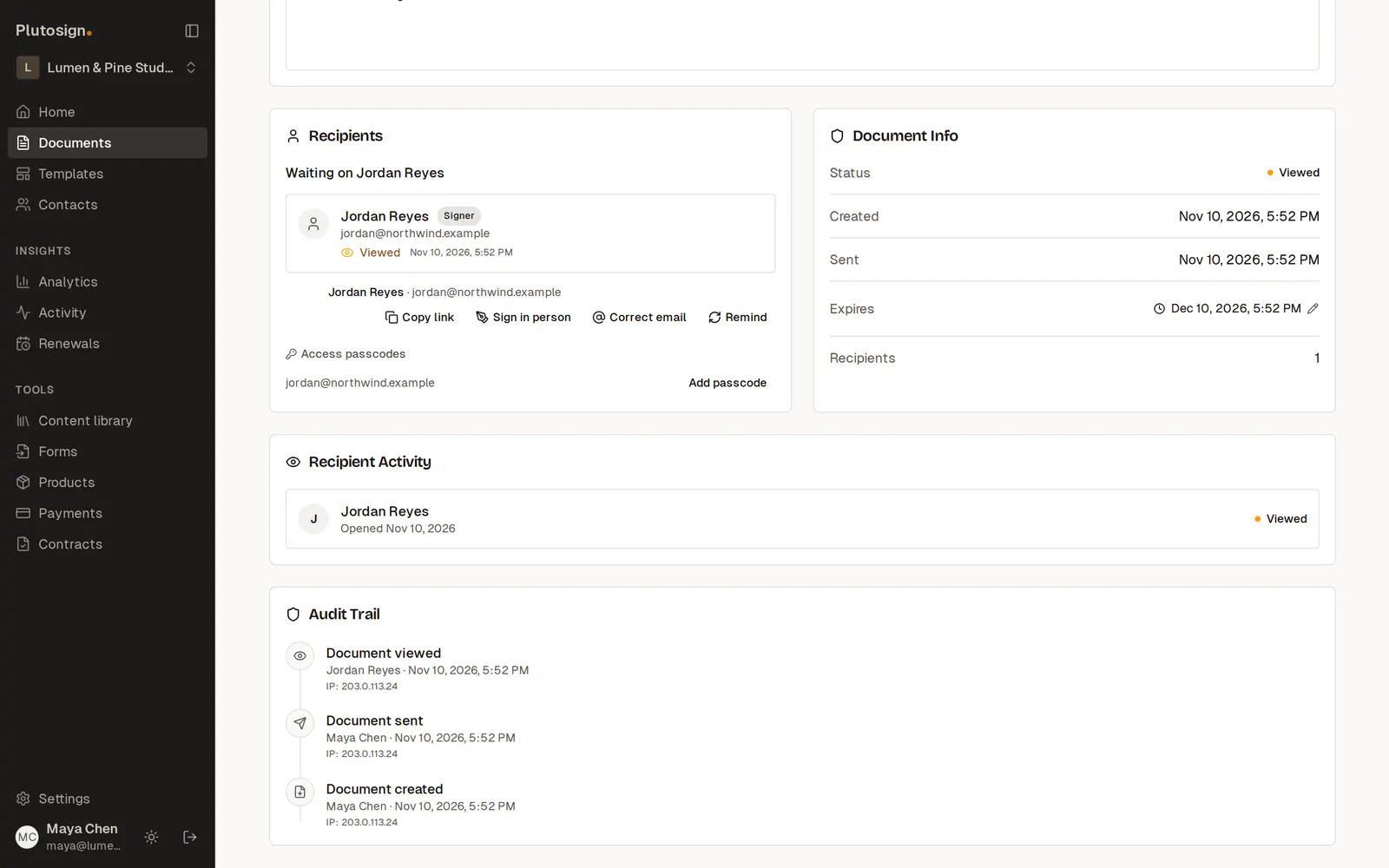
Copy one link or send individual links per person so Plutosign names each viewer when they open.
Follow up at the right moment
Get instant email alerts when a real recipient opens — never inflated by your own previews or email security scanners.
Built for real client conversations
Real viewer counts only
Your own workspace previews open in Preview mode and are never counted. Automated security scanners and link preview bots are filtered out.
Access controls when you need them
Turn on email verification, passcodes, expiry dates, view limits, download controls, or dynamic watermarks on any link.
Calm, actionable open alerts
Email notifications link straight to your document activity so you see who opened, which pages they read, and when they came back.
Switch to e-signature in one click
When your client says yes, convert the same PDF into a legally binding signature request without re-uploading.
Start free
One workspace for tracked sharing and e-signatures
- 10 tracked shared documents and 5 signature sends/month free
- Unlimited tracked links and sends on Growth, Agency, and Scale
- ESIGN, UETA, and eIDAS compliant when you request signatures
Common questions
- Is PDF view tracking really free?
- Yes. The Free plan includes 10 tracked shared documents and 5 e-signature documents per month with no credit card required.
- Will my own test clicks trigger fake view alerts?
- No. Whenever you open your own tracked link while signed in to your Plutosign workspace, you see a Preview mode banner and your view is excluded from counts and alerts.
- Can I see which specific person opened my PDF?
- Yes. Send individual tracked links using Send to…, or turn on Require email to view on any shared link.
- What if I later need the recipient to sign the PDF?
- Click Request signatures instead inside the shared document to place fields and send for ESIGN/eIDAS-compliant e-signature without re-uploading.